[ Enterprise platform ]

ePTW+

Clarity for complex
permit work.

PETRONAS’ Permit-to-Work platform, redesigned across desktop and mobile.

Existing platform
20,000+ users
Ownership
UX workstreamsResearch to delivery
Permit creation
56% less timeComparative testing
ePTW+ desktop and mobile product interfaces

[ OVERVIEW ]

One platform.
Desktop to field.

ePTW+ is PETRONAS’ permit-to-work platform, connecting desktop permit management with field execution on BARTEC rugged devices.
Timeline
Jan 2023 – Dec 2024
Duration
2 years
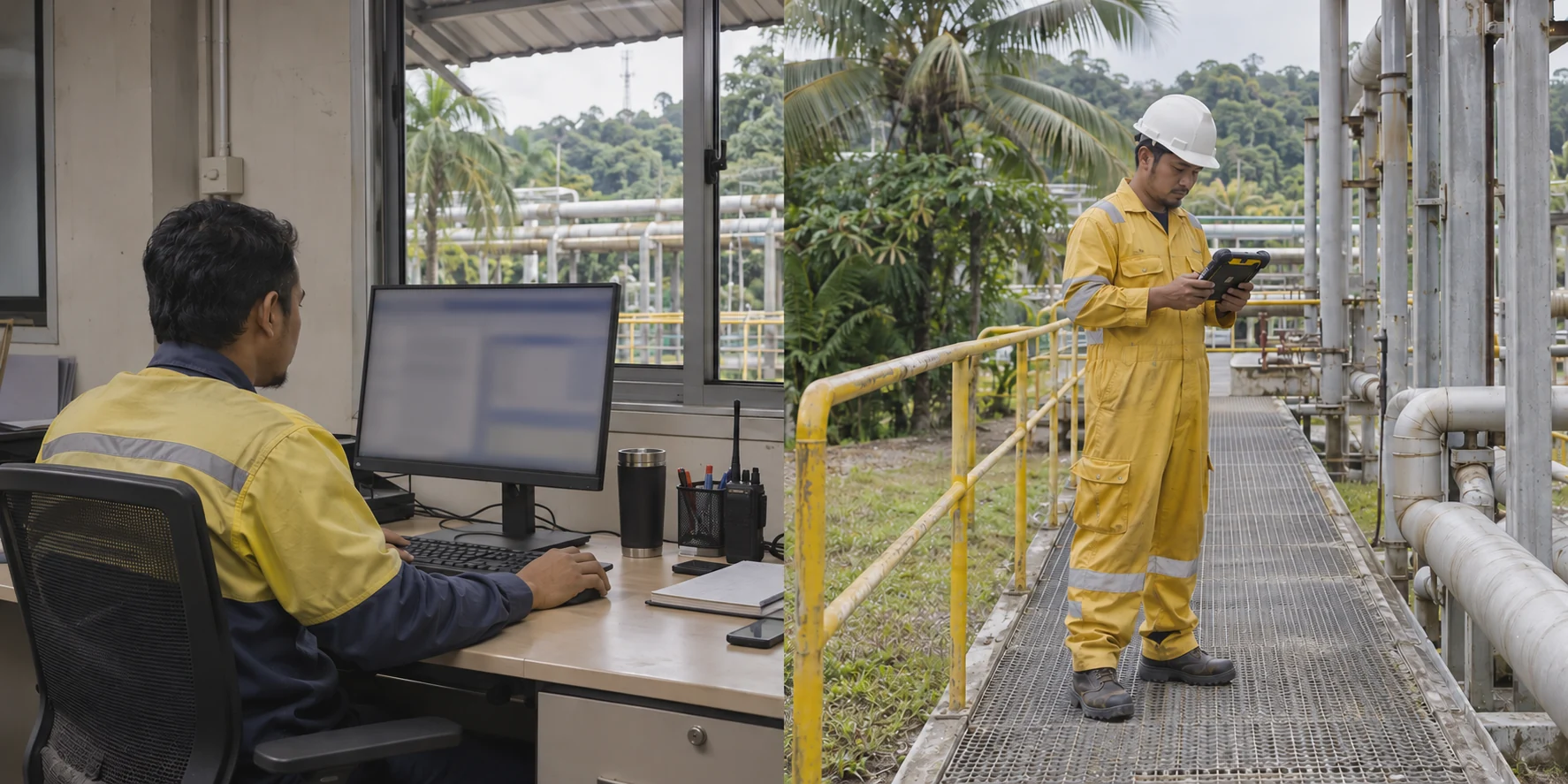
Illustration of a Malaysian operations worker using a fixed desktop workstation at a site facility
Illustration of a Malaysian field worker in protective clothing checking a rugged handheld device near plant equipment
Desktop Permit preparation and lifecycle management.BARTEC Field execution within the permit process.

One permit-work process. Two working environments.

The redesign aimed to make complex permit responsibilities easier to understand and act on.

MY ROLE

UX Designer / UX Facilitator

My contribution covered research, user journeys, information architecture, workflows and interaction design, through to assembling the initial high-fidelity screens across desktop and BARTEC experiences.

Understanding the work

I planned and facilitated research, conducted user interviews and usability testing, and synthesized findings into reports.

Turning findings into design

I used the findings to define user journeys, information architecture, workflows and interaction behaviour. From there, I assembled the initial high-fidelity screens using components from PETRONAS’ existing design system, then prepared my assigned work for review and handoff.

SHARED WORK

The design team I worked with

Yusof Roslan Me

UX Designer / UX Facilitator

I carried my work through to the initial high-fidelity, component-based screens.

The UX Manager and UX Lead reviewed the work, while the UI Designer handled later visual and prototype refinement where needed.

  • Faiza Tahir - UX ManagerReview and guidance.
  • Eric Chong - UX LeadReview and guidance.
  • Sherry - UI DesignerVisual and prototype refinement.
[ Challenge ]

One permit workflow.
Three points of friction.

The main difficulties were preparing permits, finding relevant work on the homepage, and accessing and reading job information on BARTEC devices in the field.

01 / Preparation

It was hard to see what a permit still needed before submission.

People struggled to see what information was required, what was complete and what still needed attention.

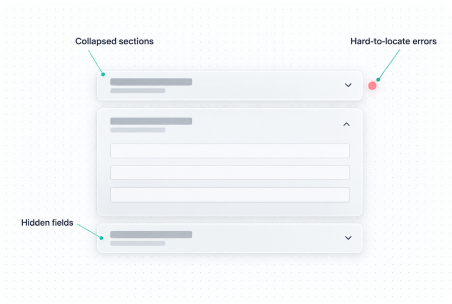
Long accordion forms
People had to open sections to inspect the fields.
Hard-to-find validation issues
Problems needing attention were difficult to locate.
Simplified permit lifecycle
  1. CreationPermit preparation
    + JHA preparation
  2. Review
  3. Authorization
  4. Activation
  5. Handback
  6. Closure

Creation includes both permit and Job Hazard Analysis (JHA) preparation, before submission.

02 / Relevant work

Relevant tasks were difficult to find on the homepage.

People needed to quickly identify tasks relevant to their responsibility and operational location among the other information on the homepage.

03 / BARTEC field work

Unreliable connectivity and glare made BARTEC field work difficult.

Field work introduced two separate constraints: limited connectivity affected access to job information, while glare and changing light affected readability.

Access under limited connectivity
People needed the permit, tasks and supporting information for their current job or session to remain accessible when connectivity was limited.
Reading the BARTEC screen
Glare and changing light could make important information difficult to read.

[ Approach ]

From existing evidence
to a clearer direction.

We examined the existing product, built a shared view of the friction, and followed up where individual context was needed.

01 / Existing product

Start with what was already there.

We brought together documentation, feedback and known issues, retraced workflows and information architecture, and used affinity mapping and heuristic review to find where to investigate further.

The recurring friction around permit and Job Hazard Analysis (JHA) preparation gave the workshop a focused starting point.

Existing product evidence

Documentation · feedback · known issues
Retraced information architecture and workflows

Affinity mapping

Group recurring issues

Heuristic evaluation

Examine usability problems

Focus for deeper investigation

Permit and JHA creation

Simplified reconstruction of how the product review narrowed the focus.

Illustrative reconstruction of accordion forms and validation issues

Heuristic evaluation

Long accordion forms hid required information, while validation errors were difficult to locate. These problems made preparation difficult to complete.

Significant usability issue. Illustrative reconstruction of the form and validation problems.

02 / Workshop

Build a shared understanding.

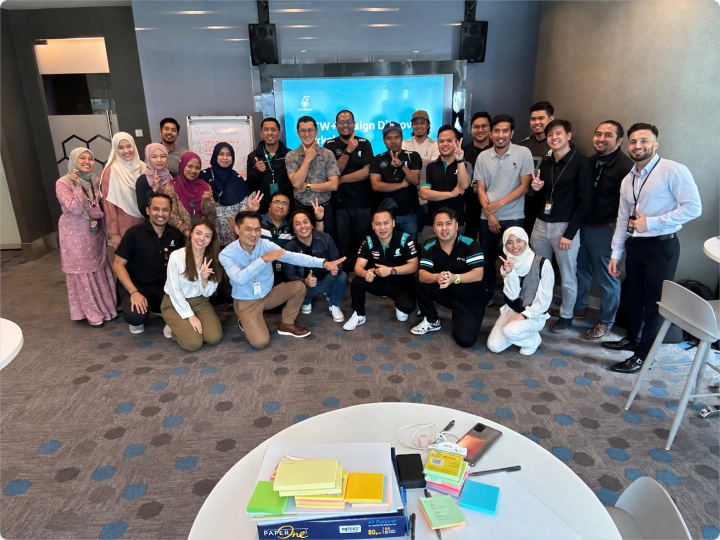
I planned and facilitated a workshop with around 30 participants across relevant roles, focused on permit and JHA preparation.

  1. Validate and locate issues

    Participants checked earlier findings, added missing issues and located them in the workflows.

  2. Explore the needs

    We grouped recurring themes and explored what people needed those areas to do better.

  3. Prioritise capabilities

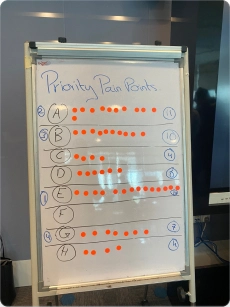
    Participants voted on the capabilities they considered most essential.

Participants at the ePTW+ workshop
Workshop participants brought perspectives from across the permit-work process.
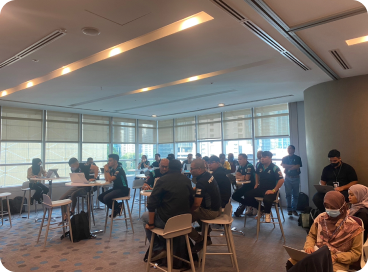
Workshop discussion in progressWorkshop prioritisation board with voting marks
Discussion and voting helped establish a shared view of priorities.

03 / Synthesis and follow-up

Follow the questions that remained.

We synthesised the workshop output into themes and open questions. Targeted interviews across stages helped deepen individual context and cross-check findings.

We also considered how people in different roles identified the tasks they needed to act on, including work tied to their operational location.

Field conditions → needs

Planned work
Limited connectivity
Current-job information
Changing lightScreen readability

Simplified synthesis: field conditions informed two distinct needs.

Example / field access and readability

Field users needed information for the job at hand.

People could have several assigned permits at different stages. With limited connectivity, they needed access to the current job’s permit, tasks and supporting information—not the whole assigned workload.

Work was planned ahead, with daily or shift discussions helping people understand what came next.

Glare made BARTEC screens harder to read.

Changing light affected screen legibility. This was a separate need alongside access to current-job information.

From evidence to direction

Three priorities for the redesign.

The investigation helped focus the design work on three areas.

  1. Clearer preparationMake permit and JHA preparation easier to understand and complete.
  2. More relevant workHelp each role identify the tasks they need to act on.
  3. Field access and screen readabilityKeep current-job information accessible with limited connectivity, and screens readable in changing light.

[ Key Decisions ]

Making the work
clearer to act on.

Three design decisions followed from the evidence: clearer preparation,
role-relevant work, and support for field conditions.

01 / Preparation

Make preparation visible,
section by section.

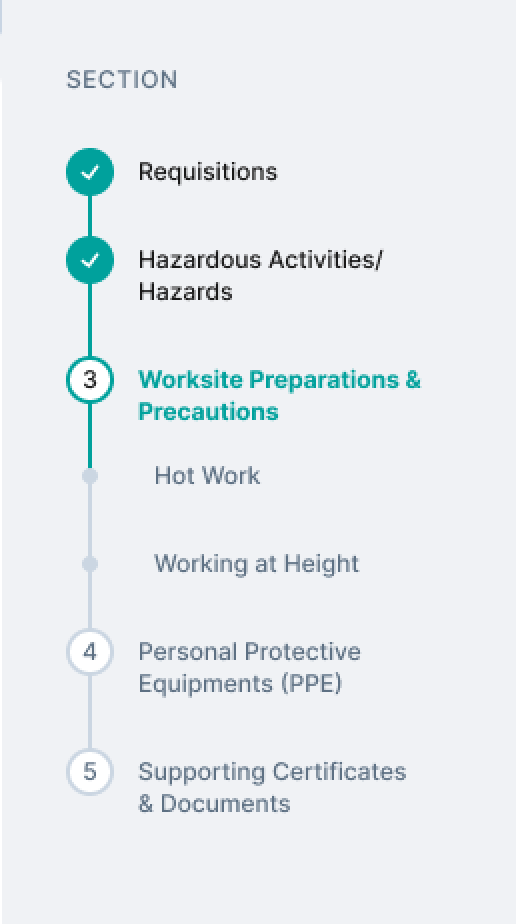
Long accordion forms made required information and validation issues difficult to find. I reorganised permit creation into clearer sections, with navigation that kept completed, current and remaining sections visible.

Permit preparation · desktop design
Section rail showing two completed categories, current Worksite Preparations and Precautions, and remaining categories
Detail from the preparation screen

A visible route through the form

Know what is complete.
Know where to continue.

Completed
Checkmarks identify the sections already prepared.
Current
The highlighted category keeps the present step in view.
Remaining
The sections ahead remain visible alongside the form.

The same structural principle carried into Job Hazard Analysis.

Job Hazard Analysis · desktop design

Related preparation flow

The same structure, applied to hazard analysis.

Job Hazard Analysis brought job steps, hazards, controls and review responsibilities into a structured preparation flow. It extended the same clarity principle without removing safety-critical information.

02 / Relevant work

Bring the work that matters
into view.

Different roles needed to find the right work without scanning unrelated tasks. I shaped a shared homepage around role-relevant work and operational-area notifications, keeping task context and status visible where people act.

Shared homepage · desktop design

One task, in context

A drilling task at Gas Processing Kertih, marked Pending Authorisation
Task detail from the shared homepage
Location
Operational area gives the work context.
Work description
The task states what needs to be done.
Status
The next responsibility is visible beside it.

03 / Field use

Support access and readability
in field conditions.

Field research raised two distinct needs: information for the current job when connectivity was unreliable, and screen legibility in changing light.

Current-job access

Keep the job at hand
within reach.

People could have several assigned permits, but needed the permit, tasks and supporting information for the particular job or session they were carrying out. That informed a selective offline-access direction.

BARTEC designs were completed and handed over. Implementation had not begun during my involvement.

In the design, saved permits are grouped in one place. Offline availability and the last-sync time are stated directly.

BARTEC saved view · phone mockup

Display appearance

Explore light and dark treatments for field screens.

Light and dark treatments explored contrast, legibility and the visibility of critical information across viewing conditions and user preferences.

Design exploration. Light mode was prioritized for initial development, with dark mode planned for a later phase.

Isolation points · dark exploration
Action sheet · dark exploration

[ Delivery & Collaboration ]

From design decisions
to handoff.

My assigned work moved through review, refinement and handoff, with separate responsibilities for design quality and business approval.

Preparing for handoff
I brought together research findings, journeys, workflows, information architecture and initial high-fidelity screens for review. I presented my assigned UX work directly or through the UX Lead, then handed over the desktop and BARTEC designs alongside research and testing reports.
Review and refinement
The UX Lead and UX Manager reviewed the UX work and provided guidance. The UI Designer handled later visual and prototype refinement. PETRONAS DesignOps reviewed selected key user flows for design quality and consistency with PETRONAS’ design system.
Approval boundaries
Business, product and operational stakeholders held approval responsibilities separately from UX and design-system reviews.

At the end of my involvement

Two platforms.
Different delivery stages.

Desktop
UAT and training

The desktop redesign progressed through development into user acceptance testing (UAT) and training activities. Production rollout was already planned, but my involvement concluded before that stage.

BARTEC
Design handoff

BARTEC remained at design handoff: the mobile UX designs were completed, but implementation had not begun. Light mode was prioritised for initial development, while dark mode was deferred.

[ Impact ]

What the evidence showed.

Comparative workflow testing and project training showed measurable improvements before rollout. BARTEC work also helped shape reusable mobile design foundations beyond ePTW+.

Permit creation

≈90to40min

Comparative workflow testing

Full permit creation-to-submission time in comparisons of the old and redesigned workflows.

Project training

≈3hrto<1hr

Project training records

Training duration recorded during the project, a separate measure from workflow testing.

Evidence note — These figures reflect workflow testing and project training, not independently verified post-launch performance.

Beyond ePTW+

A shared mobile foundation.

The BARTEC workflows required mobile patterns and interface states not yet fully covered by PETRONAS’ design system. I worked with the UI Designer, PETRONAS DesignOps and the design-system team to help translate those requirements into reusable mobile foundations beyond ePTW+.

Recognition

Individual Best Contributor 2024

I received individual Best Contributor 2024 recognition for broader contributions to PETRONAS’ design system, including ePTW+ mobile work. The UI Designer and UX Lead also received individual recognition.

[ Reflection ]

What I took forward.

The project strengthened my research judgment and showed me how product needs can influence shared design standards.

I learned to focus research by tracing existing workflows and known issues first, rather than assuming every part of the platform needed the same attention.

The workshops helped establish shared priorities. Targeted interviews then let me investigate specific problems and open questions as they emerged.

Collaborating with PETRONAS DesignOps and the dedicated design-system team showed me how real product requirements can help shape and evolve shared standards.